
Your split unit already has an infrared remote control. The IRB-4-1-00 turns it into a connected device — no need to replace the unit, no proprietary hub, and no giving up your original remote.
The problem: a split unit isolated from your home automation or BMS
Most residential and commercial air conditioning units can only be controlled by infrared remote. Integrating them into your Zigbee gateway or BMS, scheduling them intelligently, or automating them based on occupancy or window status is simply not possible.
The NodOn AC Infrared Controller solves this problem simply and non-invasively, ideal for retrofits without modifying the existing installation.
The IRB-4-1-00: a virtual Zigbee remote control
Compact (90 × 70 × 25 mm), the controller sits near your split unit and emits 360° infrared codes to control it exactly like your original remote — but from your Zigbee home automation gateway.
|
📡
Compatible with all IR splits
Cloud IR code library or manual learning from your original remote
|
🔄
Two-way
The physical remote still works. The controller detects IR commands and updates the state in your gateway
|
|
🌡️
Full control
Temperature, mode (cool/heat/fan/dehumidify), On/Off, vane direction
|
⚡
Up to 30% savings
Through automatic, intelligent room-by-room air conditioning management
|
Installation: two power options
The IRB-4-1-00 connects to your Zigbee network wirelessly, but it needs a power source. Two solutions depending on your setup:
|
Option 1
USB-C
If you have a USB socket or charger nearby, simply plug the controller in via its USB-C port (5V DC — cable and adapter not included) and place it on a shelf or fix it to the wall.
|
Option 2 — Recommended
Wall bracket IBH-1-3-00
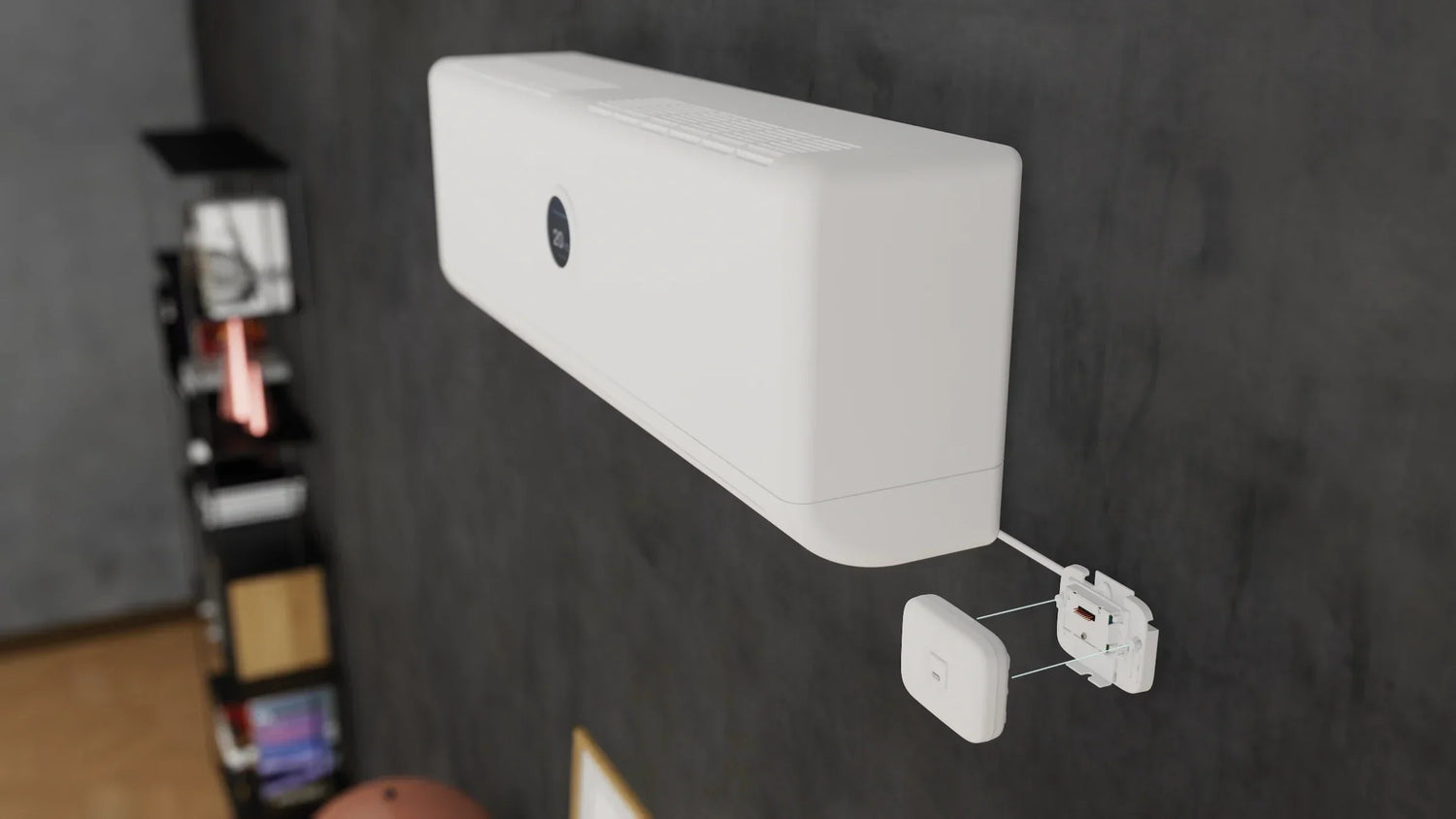
Direct power from the 230V AC terminal of the split unit. Clean installation, no visible cables, in the ideal position for optimal infrared control.
|
The IBH-1-3-00: the accessory that changes everything
The AC infrared controller bracket is a dedicated accessory designed to work alongside the IRB-4-1-00. It serves two purposes at once: wall mount and 230V power supply.
How it works is straightforward. The bracket's electronic module slots into the back of the controller, under the removable cover, and powers it directly at 5V DC from the 230V mains. A one-metre cable (supplied) connects to the phase/neutral terminal of your split unit. Once clipped into its bracket, the controller sits exactly where it needs to be: right next to the split unit, in the ideal position to cover its infrared receiver.
Wall fixing is done with double-sided adhesive tape (supplied) or screws (not supplied), without drilling in most cases.
Setup in 3 steps
|
1
|
Infrared setup via the NodOn Climate app
Download the free NodOn Climate app (iOS / Android). The controller connects via Bluetooth to your smartphone. Enter your air conditioner brand, then point the split's remote at the controller once: the app searches its library for compatible IR codes and lets you test them. Your unit is recognised in seconds. If your model isn't listed, manual learning lets you capture the codes from your original remote.
|
|
2
|
Joining your Zigbee network
Once the IR codes are configured, join the controller to your Zigbee gateway (Jeedom, Home Assistant, Zigbee2MQTT, Homey…). Enable inclusion mode on your gateway, press the controller's setup button once — the green LED flashes while searching, stays on for 3 seconds if joining is successful, then turns off. The controller appears as a Zigbee thermostat (device ID 0x0301).
|
|
3
|
Control and automations
From your home automation interface, you can control the temperature, mode, airflow, vane direction and On/Off state, as well as create advanced automations tailored to your needs.
|
What you can automate
| 🚪 Automatic switch-off when a window is opened | 👤 Regulation based on occupancy or absence |
| 🕐 Scheduling: comfort temperature in the evening, reduced overnight | 🌡️ Cross-regulation with a room temperature sensor |
The products
The IRB-4-1-00 works standalone (USB-C power) or paired with the IBH-1-3-00 for a wall-mounted installation wired directly to the split unit.
|
Controller
IRB-4-1-00
Zigbee AC Infrared Controller
View product → |
Accessory
IBH-1-3-00
Wall bracket + 230V AC power supply for IRB-4-1-00
View product → |

Leave a comment
This site is protected by hCaptcha and the hCaptcha Privacy Policy and Terms of Service apply.