
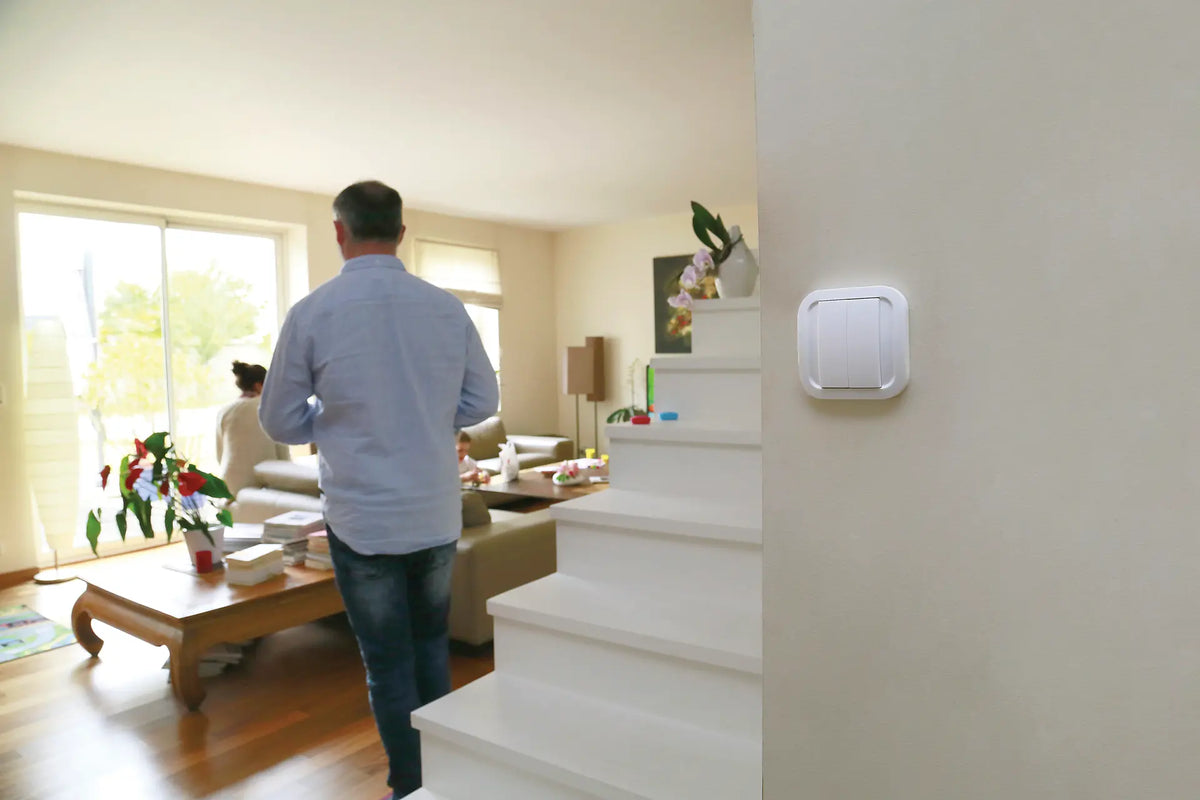
Wireless and battery-free, the CWS-4-1-00 wall switch sticks or screws on wherever you need it. The energy from your press is enough to send the Zigbee command to your gateway, or directly to a NodOn module.
The problem: there's always a switch missing
At the top of a staircase, next to the bed, at the entrance to a remodelled room: adding a wired switch means chasing the wall, running a cable and repainting. And conventional wireless controls run on batteries that need to be monitored and replaced.
The NodOn Battery-free Zigbee Wall Switch solves both problems: it needs no cable, and it generates the energy it needs with every press.
The CWS-4-1-00: a self-powered Zigbee Green Power control
In an 80 × 80 × 15 mm format, the switch includes a kinetic energy harvester and communicates via Zigbee Green Power, the part of the Zigbee standard designed for battery-free devices.
|
🔋
Battery-free
A kinetic energy harvester powers every transmission: no batteries to change, no maintenance
|
📍
Wireless
Fixed with the two supplied adhesive strips or with screws, on a wall, a kitchen splashback or a piece of furniture
|
|
🔲
1 or 2 rockers
The switch can be fitted with a single or double rocker, giving up to four buttons to control several devices
|
📶
Zigbee Green Power
Generic switch compatible with the 16 Zigbee channels of the 2.4 GHz band, 15 m range
|
Two ways to use it
The switch can be integrated into a complete home automation system, or work directly with a NodOn module, without any gateway:
|
Option 1
With a Zigbee gateway
Each press is reported to your gateway, which links it to the action of your choice: turning on a light, closing the shutters, launching a scene.
|
Option 2
Directly with a NodOn module
The switch pairs directly with a NodOn Zigbee micromodule, for example up to four switches on a single SIN-4-RS-20 roller shutter module, without a gateway.
|
Setup in 3 steps
|
1
|
Mounting
Open the switch by pushing in the middle, then fix the base with the two supplied self-adhesive strips or with screws (not supplied). Then clip on the rocker(s).
|
|
2
|
Choosing the radio channel
If the target network uses one of the primary channels (11, 15, 20 or 25), press and hold the corresponding button for 7 seconds or more: A0 for channel 15, B0 for 11, A1 for 20, B1 for 25. Check that the receiver has accepted the request, then confirm the channel by pressing A1 and B0 simultaneously.
|
|
3
|
Assigning the buttons
Once the switch has been recognised, assign each button to an action in your gateway. When paired directly with a NodOn micromodule, the switch immediately controls the device connected to the module.
|
What you can automate
| 💡 Adding two-way switching at the top of a staircase or at the end of a corridor, without running cables | 🪟 Central control of several roller shutters from a single button |
| 🚪 “Leaving home” scene by the front door: everything switches off and the heating goes to Eco | 🛏️ “Good night” control placed on the bedside table |
The product
The CWS-4-1-00 installs in seconds and communicates with a Green Power-compatible Zigbee gateway or directly with a NodOn micromodule.
|
Controller
CWS-4-1-00
Battery-free Zigbee Wall Switch
View product →
|
Key specifications
Power supply: kinetic energy, battery-free
Protocol: Zigbee Green Power
Range: 15 m
Temperature: -20 to +65 °C
Dimensions: 80 × 80 × 15 mm
|
Resources
| 📄 Product page |
| 📖 User guide [FR / EN] |
| 📊 Datasheet [EN] |

Leave a comment
This site is protected by hCaptcha and the hCaptcha Privacy Policy and Terms of Service apply.